A live human behind every account. Never who.
You have never been able to vouch for the accounts on your platform without collecting more about the people behind them. Now you can: trust your customers can see, and a yes you can prove.
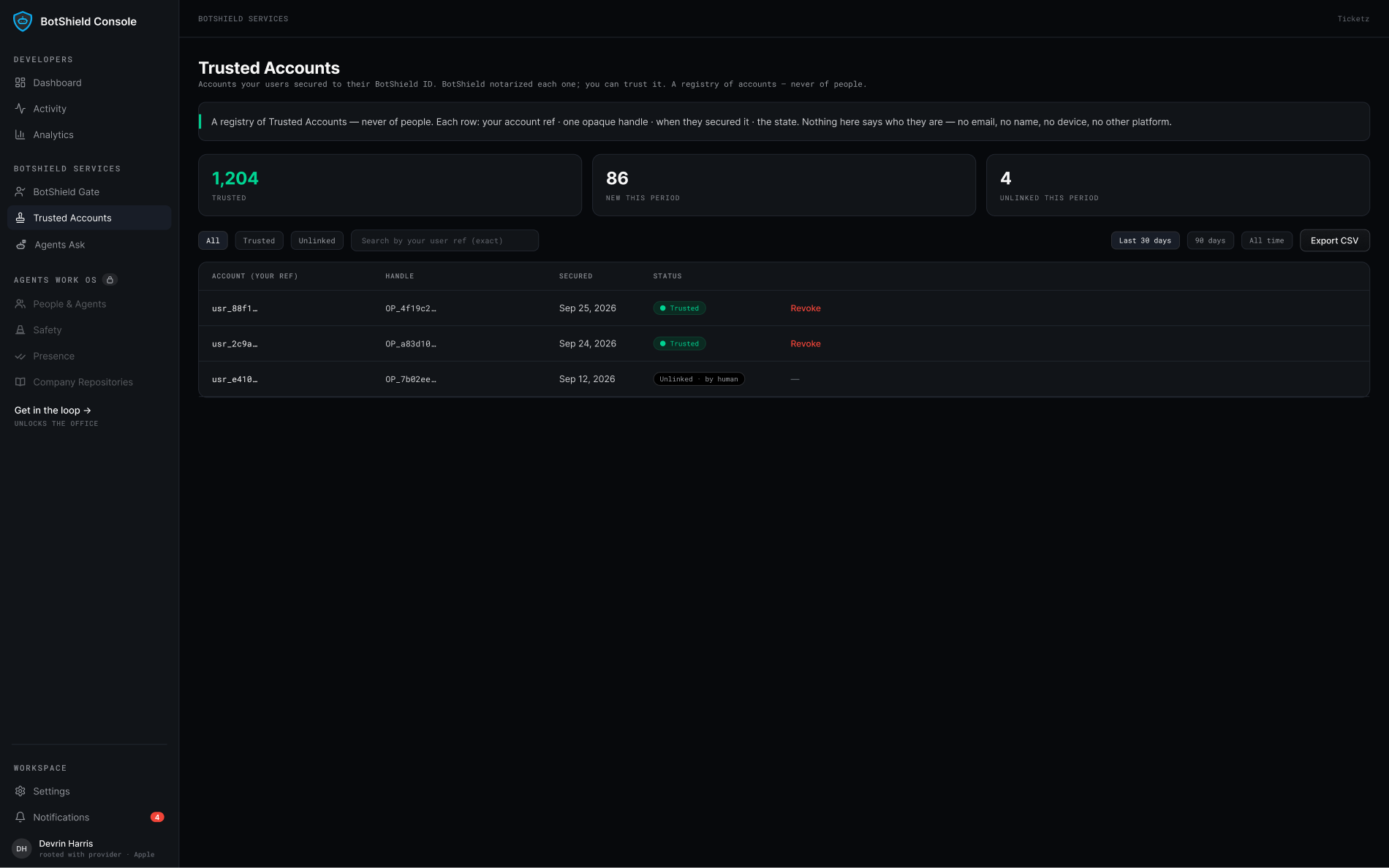
One attribute. One tap. Nothing about your login changes.
Put the offer on your login.
One attribute. Password, Google, or a passkey — nothing else changes. Sign-up, settings, or the first time their agent asks.
They tap once.
A passkey fires — a WebAuthn assertion with user verification, on BotShield’s relying party — in their browser or on their phone. That is the whole ceremony. No OAuth, no redirect, no identity provider in the loop.
You get the fact.
Trusted, keyed to your own account id. Never a name, never an email.
You set the rules.
A post, a listing, a payout — any act can require a live human first, and the same ID answers every time.
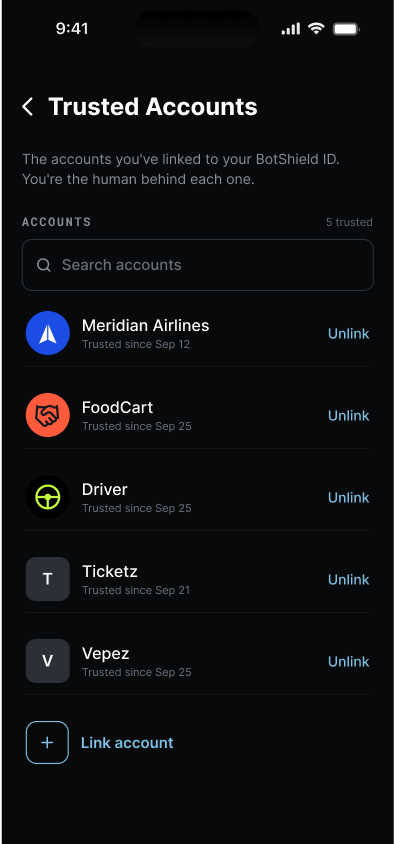
WHAT THEY SEE
Checks and balances.
Their login proves the account at the door. BotShield proves a person at the moment it matters — and the proof travels.
They sign in as they always have.
Proves the account is held — a password known, or a passkey unlocked. After the door, the session carries it, whatever holds it.
A live human behind the account. Never who.
One tap. BotShield notarizes that a person was there — the same ID that secured the account, every time it matters. You get a fact you can check, keyed to your own account id.
Every account carries a root. Every consequential act takes a person.
One BotShield ID secures one account on your platform. Each ID stands on its own signed-in Apple or Google account, and every act you gate takes a live tap with that ID’s passkey. We don’t promise a farm can’t be built. We make every account in it carry a root, and every act you gate cost a person.
One ID, one account.
A second attempt with the same ID is refused. An index, not a policy.
Every account carries a root.
Its own signed-in Apple or Google account behind it. You never learn which.
Every act you gate takes a person.
A live tap, every time you ask. A farm has to staff it.
A passkey behind every account.
Every BotShield ID is a passkey. Every secured account has one behind it — even where the login is still a password.
Trusted Accounts FAQ
Does a Trusted Account replace my login?
Do I need a BotShield Gate to use Trusted Accounts?
What do I receive when a user secures their account?
What is the platform-user-ref, and what should I send?
Can one person secure two accounts on my platform?
What happens when someone unlinks, or when a password or email changes?
Verify your customers. Never their identities.
We prove a person is behind the account. On demand.
BotShield runs in your browser.
Sign in with Apple or Google, add a passkey, and approve what your agents ask — the same account the phone app will use.
Open app.botshield.ai →