Sandbox keys the moment you sign in.
Sign in, take a key, place a gate on a page. The sandbox asks for nothing. Production opens once we have verified your business.
<script src="https://cdn.botshield.ai/sdk.js"></script>
<botshield-verify
  site-key="pk_live_…"
  scope="checkout"
  checkout-label="Complete purchase">
</botshield-verify>
Check the answer on your server. A gate that only the browser enforces can be skipped.
On a page, from an agent, or sent to one customer.
Place a gate.
It is a custom element, so it works wherever your HTML works. No framework, no rewrite, nothing to migrate onto.
Five MCP tools.
Point any MCP client at the server and your agent can ask a person for a yes. Small on purpose: an agent should not be able to do more to your customer than this.
Send a request.
Your staff or your server send a request to verify to one person, by their phone number. They answer on their own phone with their passkey.
Five tools. Your agent calls them; none of them can say yes.
Puts the act in front of the person and waits.
Ties this agent’s session to the person who linked it.
Asks whether that link still stands before it tries.
Reads the answer — waiting, confirmed, denied, expired.
Withdraws the ask. Nothing happened.
A tool that approves. The yes only comes from the person’s phone.
Every request, and what each one answered.
The Console places a gate, registers your agents and keeps every answer. Sending a request by phone number, shown here, is coming soon.
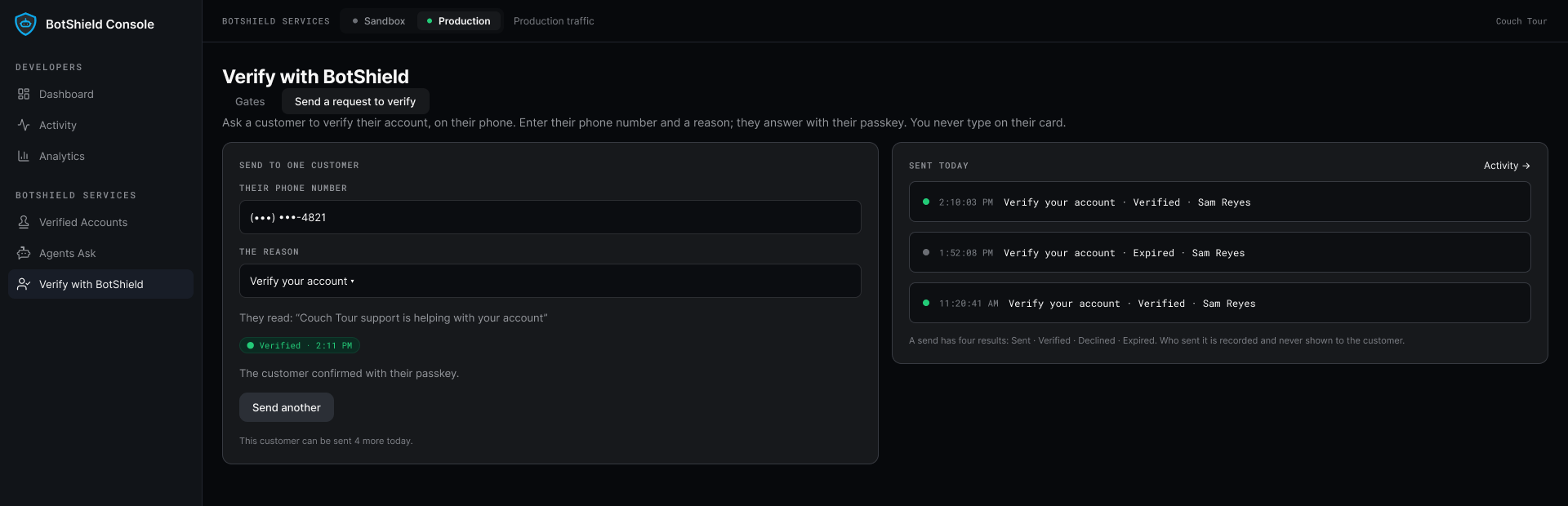
Illustrative data.
Where to go from here.
A person
The docs are on their way. Until then, tell us what you are building and we will walk you through it.
Talk to us →Console FAQ
How do I place a gate on my site?
Is there an SDK, an API, or MCP tools?
How do I check a verdict is genuine?
What do I need before going to production?
Can our own agents call it?
Where do I get keys?
Sandbox today. Production after a call.
Keep your stack, your login and your checkout exactly where they are. Add one element, and you are testing.
Leave your work email and a person replies.
BotShield runs in your browser.
Sign in with Apple or Google, add a passkey, and approve what your agents ask — the same account the phone app will use.
Open app.botshield.ai →