Agents ask. Account holders answer.
Identity never travels.
Live today.
Before your agent acts, the request goes to the account holder’s phone. They answer with their passkey. Nothing happens until they do.
 FIDO Alliance member
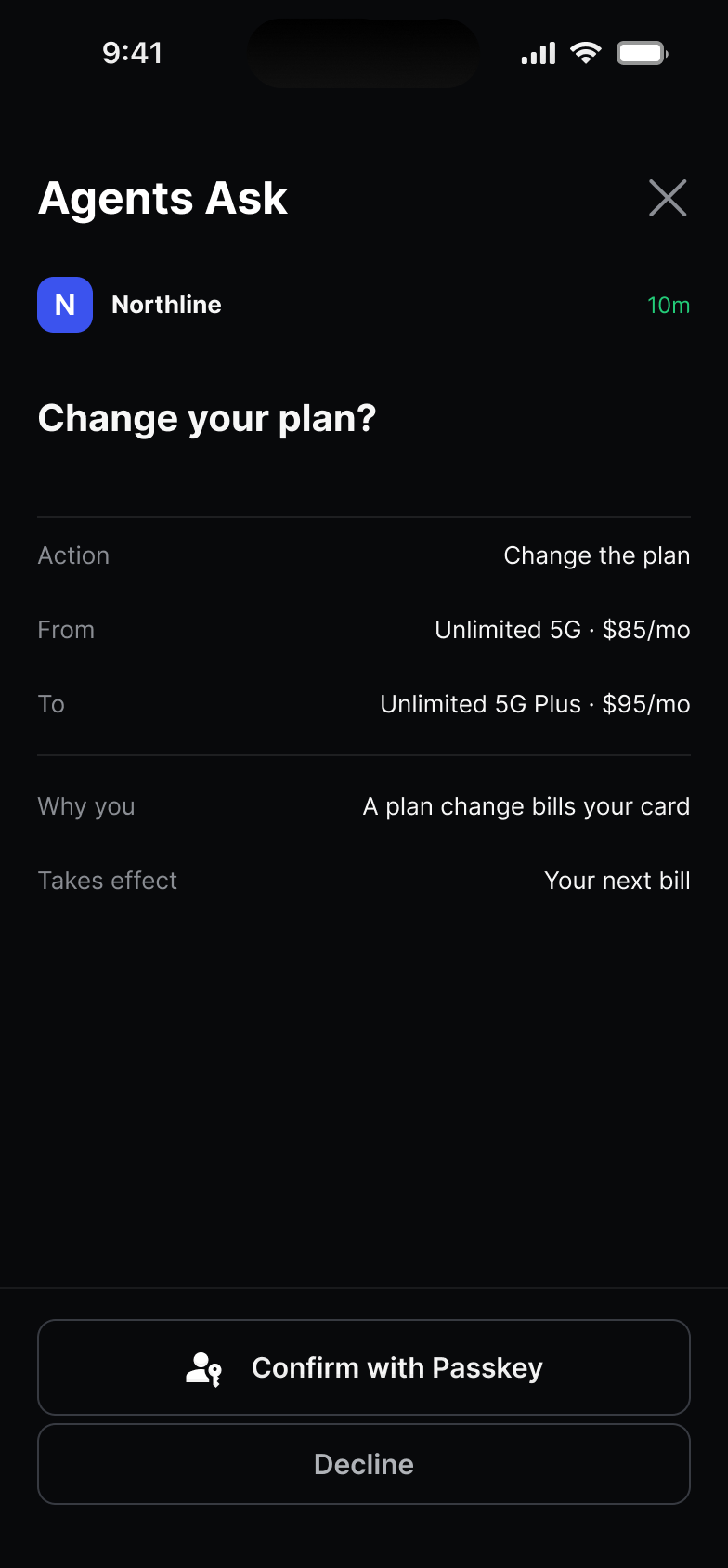
Your agent asks. They answer on their phone.
Your agent names the act and the customer. The account holder sees who is asking and the exact terms, and answers with their passkey. Silence is not a yes: an ask that times out closes.
- The ask
 Your agent asks.Or your support team, in pilots.
- The termsChange your plan?FromUnlimited 5GToUnlimited 5G PlusPrice$95/moOn their own phone.Who is asking, and what will change.
- The answer
 Confirm with Passkey.Or decline. No code to type.
- The record
 A signed yes.Or a plain no. Nothing changes until then.
Bring your own agents.
Register them in the Console, and they can ask.
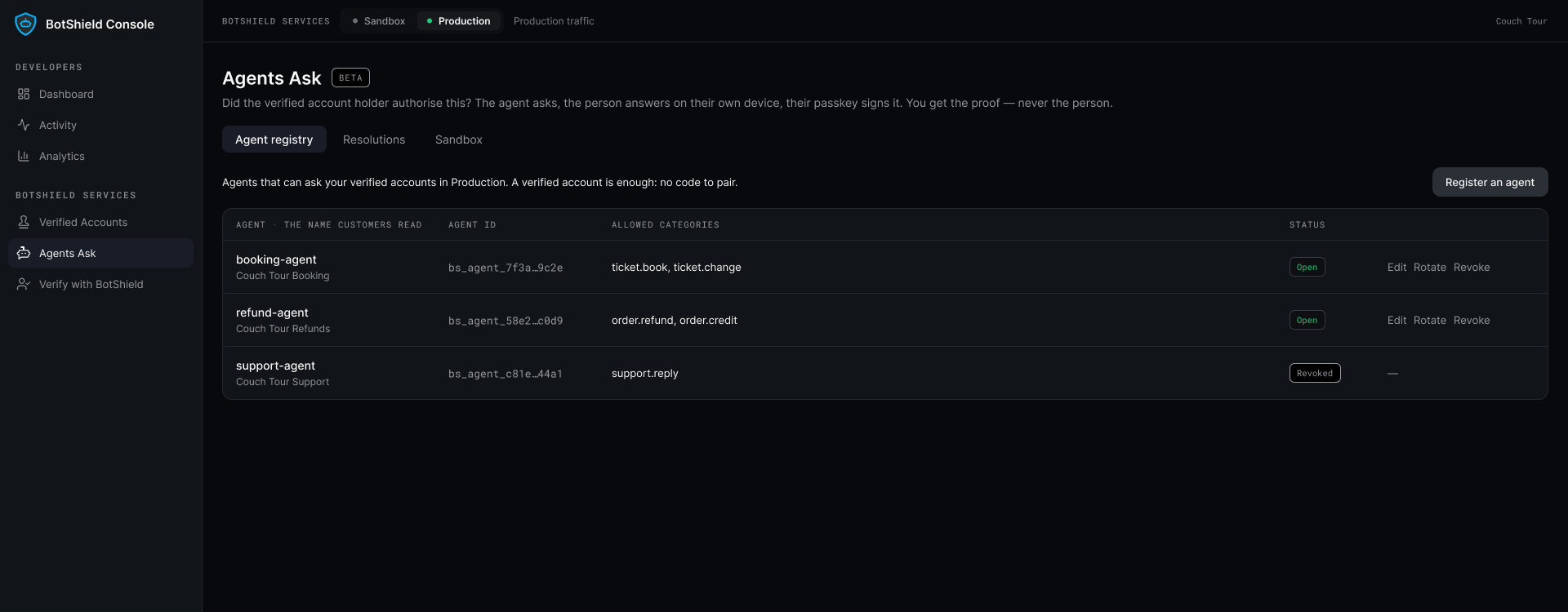
Each agent gets its own key and asks only for the acts you name, only of your verified customers. One switch turns it off, and the account holder can remove it too.
It starts with a verified account. BotShield Verified →
Before Agentforce changes an account, your customer says yes.
Your Agentforce agent asks first. Your verified customer approves the exact change on their own phone, with their passkey, and the signed answer lands in your Salesforce org. No yes, no change.
The agent you already run.
Add the BotShield actions to it. No new agent, no template.
The exact change, every time.
The account holder answers with their passkey. Silence is a no.
A record of every answer.
And on a yes, a signed approval your Flow can check before it acts.
How it will work, step by step. Agents Ask for Agentforce, in the docs → · To run it before the listing, ask about a pilot →
Approval your agent can’t skip.
Put agentgateway, the open-source gateway, in front of your agent’s tools. Name the ones that need the account holder, and the gateway refuses them until the call carries BotShield’s signed approval for that exact action. The Console writes the policy for you.
- Your agentAsks to change the plan
change_plan() - agentgatewayHolds the call✓ Yes, with their passkey
- Your toolRuns. Not before.
agentgateway is an open-source project; BotShield is not affiliated with it. agentgateway, in the docs →
Questions
How do you approve an AI agent’s action before it happens?
When does the act run?
What happens if nobody answers the request?
Which agent frameworks does it work with?
Who registers an agent, and can it be revoked?
Let your agent ask.
On the phone your customer is already holding, with an answer you can keep.
Leave your work email. We usually reply the same day.
BotShield runs in your browser.
Sign in with Apple or Google, add a passkey, and approve what your agents ask — the same account the phone app uses.
Open app.botshield.ai →