The lock on your phone. Now behind every account you secure.
That lock is the OS-level control you use every day, and it obeys physics — it answers on your devices, in your hands, nowhere else. BotShield extends it to the internet. Secure an account once; from then on a post, a payout, a change that counts asks your phone, and only you can say yes. Agents can only ask. Unlink any time.
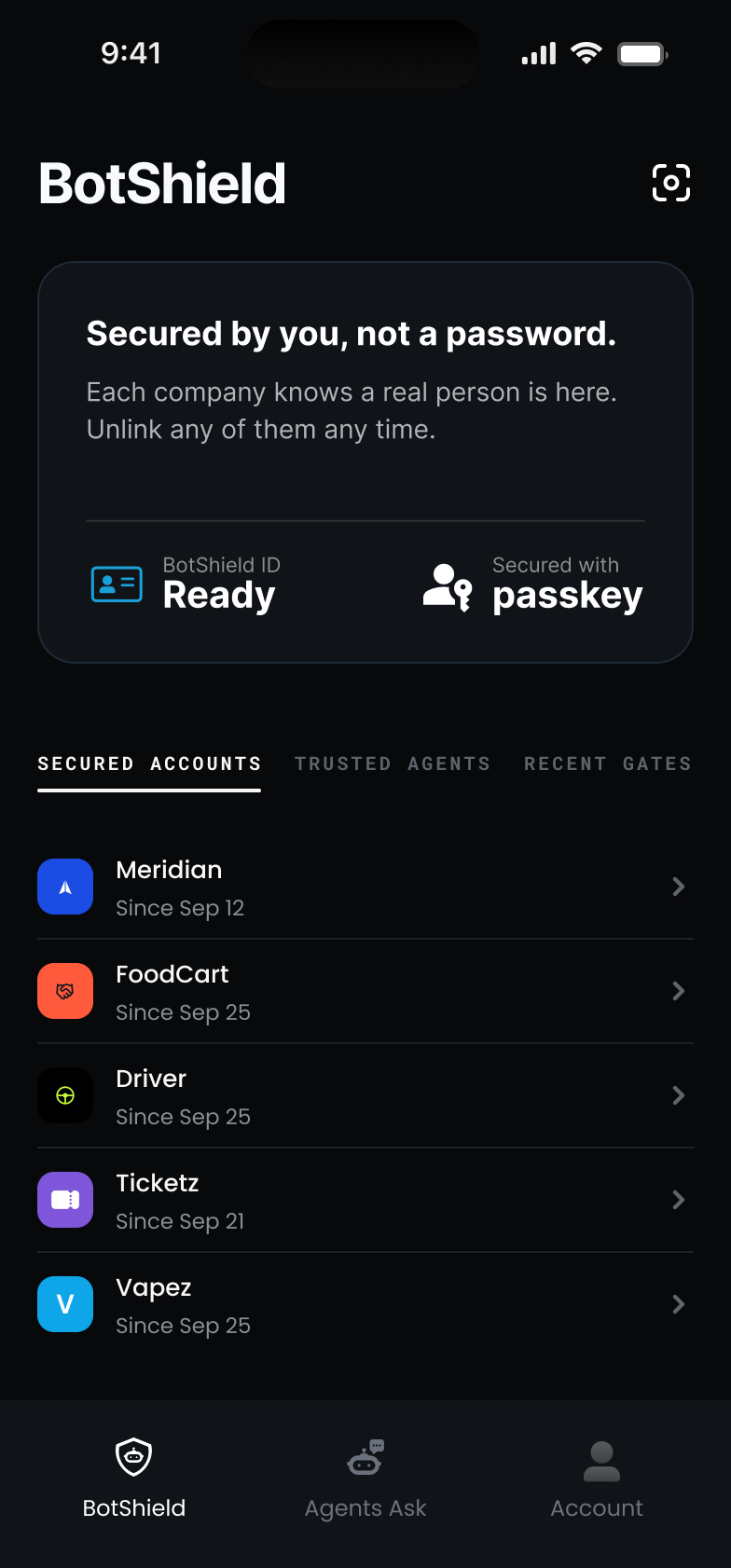
Secure the account once. Then the site can trust you.
Where a site offers Secure your account with BotShield, one tap puts the lock already on your phone behind the account — a security setting like any other, on any platform — and BotShield notarizes the relationship between the account and your BotShield ID. From then on, when the site asks if a person is here, your phone answers — no ID, no selfie, no puzzle. And nothing about you travels — go by any name you like.
Ticketz Account Preferences
Your account is secured to you.
Ticketz can ask for a person whenever it matters, and only your passkey answers. Nothing about you travels.
SECURED ACCOUNTS
Illustrative · mock company
No ID checks needed.
The site already has its fact: a live human is behind this account. It has no reason to ask you for a document, a selfie, or a puzzle.
One tap answers.
A post, a payout, a change that counts — when the site asks if a person is here, your passkey answers and the site gets its fact. The same tap, every time it matters.
Yours to end.
Unlink from the app any time. Change your login on the site and the link ends. Only you see the list — the site never learns your other accounts, or your name.
OS-level security controls. Any platform you’ve secured.
The lock already on your phone — the OS-level controls you use every day — works the same on every platform you’ve secured with BotShield. In 4.0 you choose where it must answer, account by account: when the app comes back from the background, a password reset, a sign-in on a new device. Each platform sets its floor. You add the rest, and it holds everywhere BotShield is.
Opens from the background
Every time the app comes back to the front, your passkey answers before anything else does.
Password reset
Before a new password is set on the account, a person has to be there — you.
Sign-in on a new device
Before a device you haven’t used signs in, your passkey says yes or nothing happens.
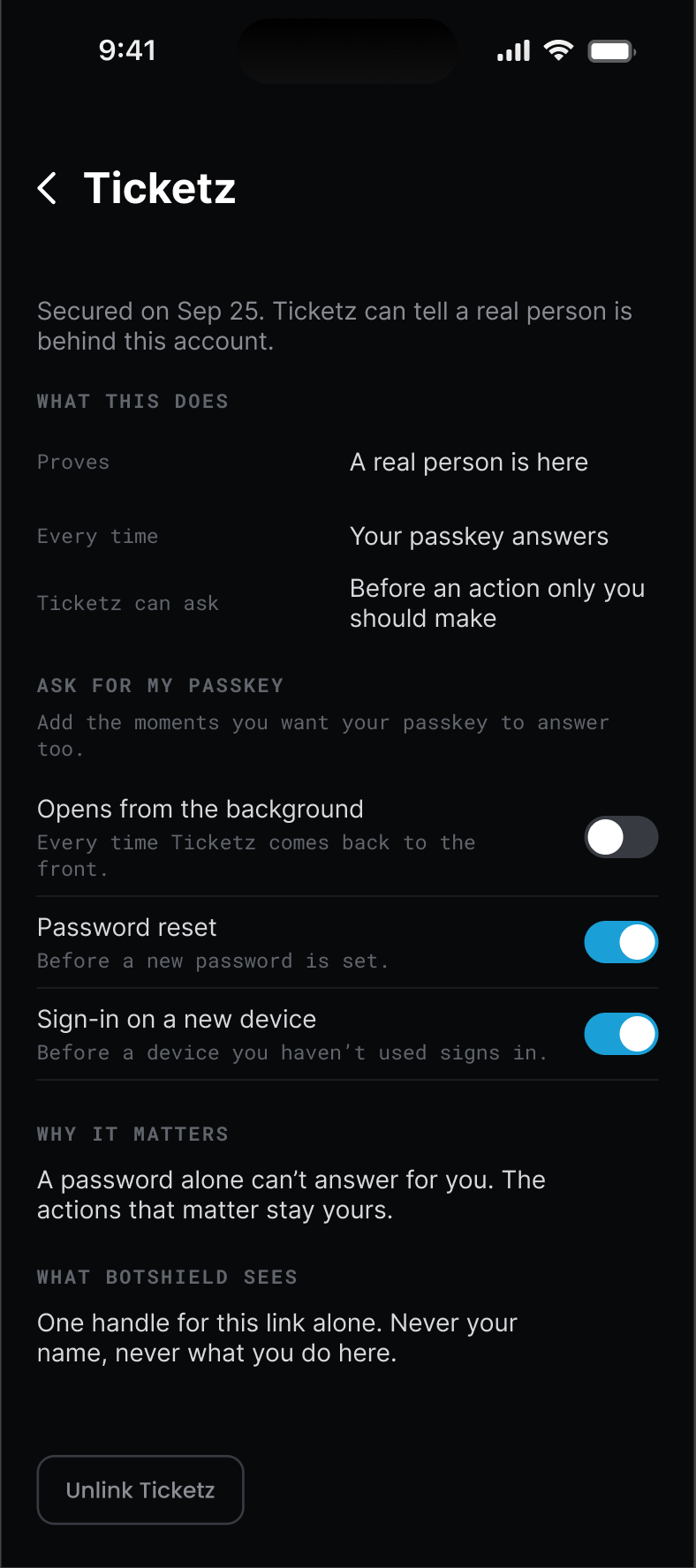
4.0 · ASK FOR MY PASSKEY
One attribute. One tap. Nothing about your login changes.
Put the offer on your login.
One attribute. Password, Google, or a passkey — nothing else changes. Sign-up, settings, or the first time their agent asks.
They tap once.
A passkey fires — a WebAuthn assertion with user verification, on BotShield’s relying party — in their browser or on their phone. That is the whole ceremony. No OAuth, no redirect, no identity provider in the loop.
You get the fact.
Secured, keyed to your own account id. Never a name, never an email.
You set the rules.
A post, a listing, a payout — any act can require a live human first, and the same ID answers every time.
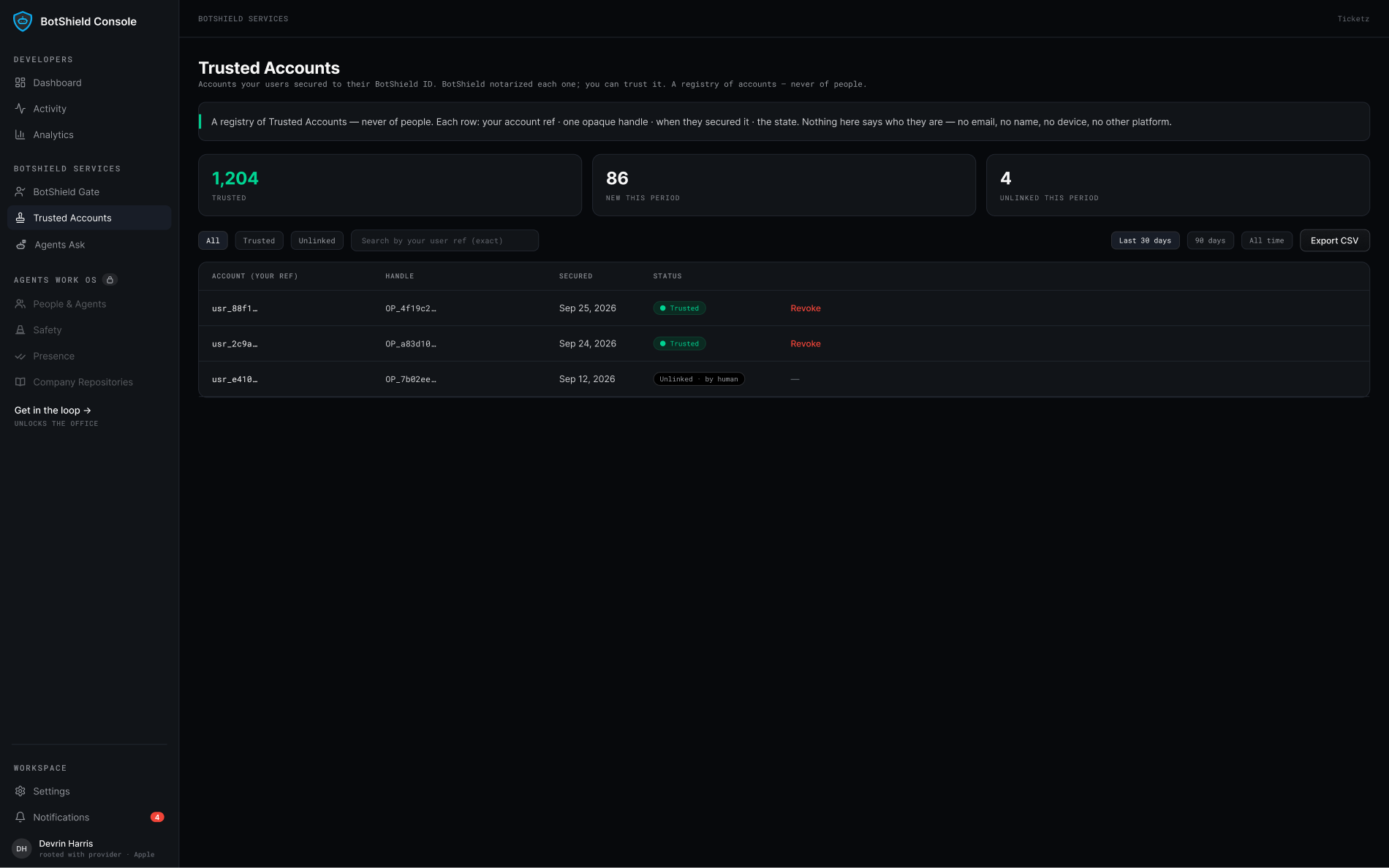
WHAT YOU HOLD · YOUR REGISTRY, NEVER A ROSTER
Checks and balances.
Their login proves the account at the door. BotShield proves a person at the moment it matters — and the proof travels.
They sign in as they always have.
Proves the account is held — a password known, or a passkey unlocked. After the door, the session carries it, whatever holds it.
A live human behind the account. Never who.
One tap. BotShield notarizes that a person was there — the same ID that secured the account, every time it matters. You get a fact you can check, keyed to your own account id.

Every account carries a root. Every consequential act takes a person.
One BotShield ID secures one account on your platform. Each ID stands on its own signed-in Apple or Google account, and every act you gate takes a live tap with that ID’s passkey. We don’t promise a farm can’t be built. We make every account in it carry a root, and every act you gate cost a person.
One ID, one account.
A second attempt with the same ID is refused. An index, not a policy.
Every account carries a root.
Its own signed-in Apple or Google account behind it. You never learn which.
Every act you gate takes a person.
A live tap, every time you ask. A farm has to staff it.
A passkey behind every account.
Every BotShield ID is a passkey. Every secured account has one behind it — even where the login is still a password.
Secured Accounts FAQ
Does a Secured Account replace my login?
Do I need a BotShield Gate to use Secured Accounts?
What do I receive when a user secures their account?
What is the platform-user-ref, and what should I send?
Can one person secure two accounts on my platform?
What happens when someone unlinks, or when a password or email changes?
Prove the person. Never the identity.
We prove a person is behind the account. On demand.
BotShield runs in your browser.
Sign in with Apple or Google, add a passkey, and approve what your agents ask — the same account the phone app will use.
Open app.botshield.ai →