Passkeys for the customers who never asked for one.
Verified Accounts by BotShield
Your customers keep their password and add one passkey, in about a minute. You get a verified way to reach the account holder: to know it is them, and to ask before an agent acts.
 VerifiedAccounts

The on-ramp to passkey adoption.
Nine in ten people have heard of passkeys. About a third of sign-ins use one. The gap is not awareness: people keep the password they understand, and they push back when it is taken away. So we do not take it away. Your customer keeps the password and adds a passkey beside it, and you move them along one step at a time.
Figures: FIDO Alliance, The State of Passkeys 2026 and Passkey Index, October 2026 (15 participating companies; directional).
 FIDO Alliance member · every product answers with a passkey
Start with one. Add the next when you are ready.
Your customer adds a passkey.
About a minute, with no ID upload. Their password stays. They set it up once, and the next company is one tap.
Get BotShield Verified →
No more reset emails.
It sits where “Forgot password” is today. They confirm on their own phone and set a new password on your page.
Recover Account →
A passkey beside the password.
Nothing is taken away. Customers who want the quicker way in use it, and nobody is moved before they are ready.
Sign in with a passkey →Passkey adoption, without the risk of a migration.
Nothing is taken away.
The password stays, and so does your sign-in. Nothing is migrated and nothing is rebuilt.
No text is sent to ask.
A request goes to the app on their phone, so there is no carrier to pay and no code to read aloud.
They learn it once.
The same passkey works at every company on BotShield. The second company takes them a moment.
Ask, and the account holder answers.
Once an account is verified, you have a line to the person who holds it. A password proves someone knows it. This asks the account holder: they see who is asking and why, and they answer with their passkey. Nothing happens until they do.
Your staff ask for their phone number.
They send a request. No code to read out.
Verify with BotShield →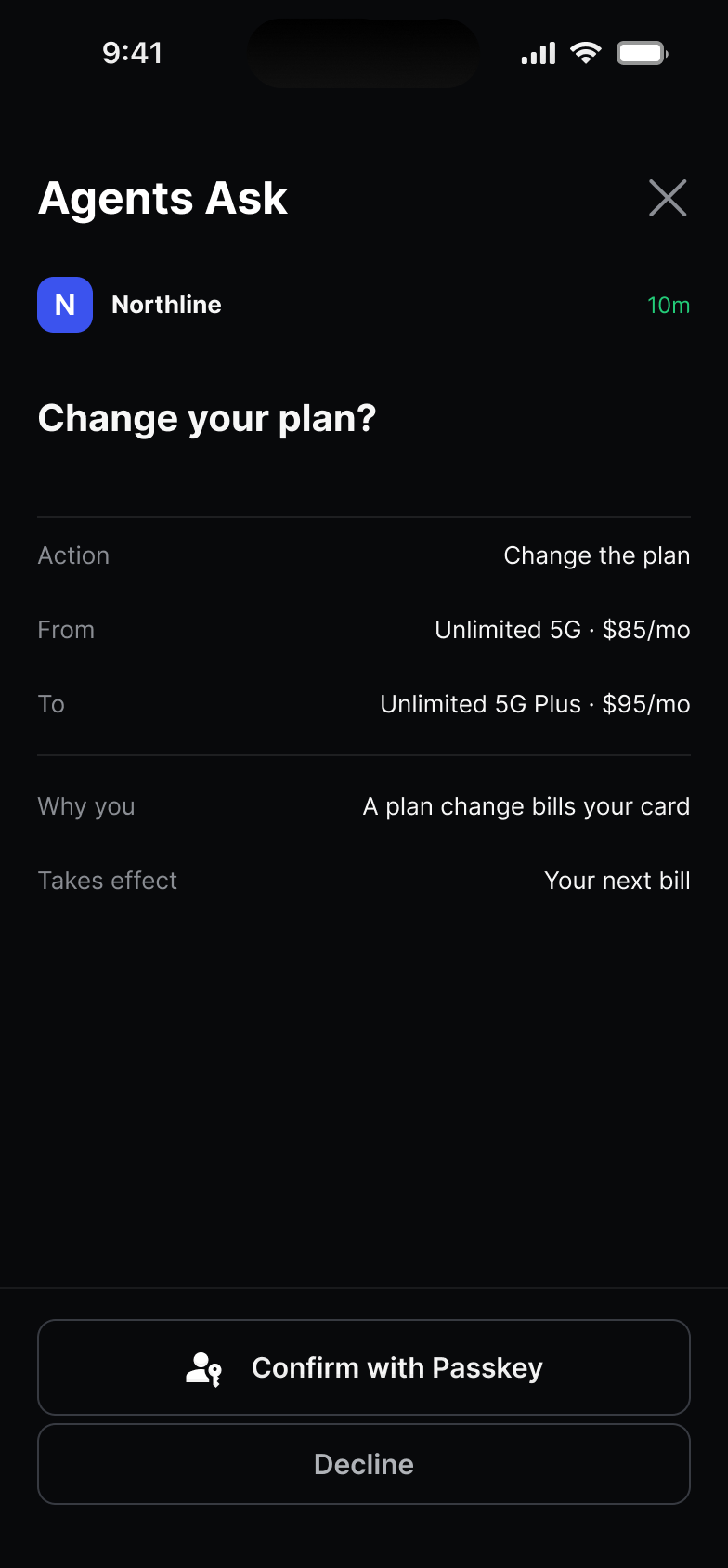
We leave who your customers are with the provider.
Holding it is not our job, and leaving it there is what protects them. You get a yes from the account holder. Never a name, an email or a phone number.
No name, no email address, no government ID.
The BotShield app makes an ID without any of them.
A different reference everywhere.
No two companies can compare notes on a person.
Encrypted at rest. Never shared.
Every ID stands on one verified phone number. We verify the number, not the identity.
What SMS codes cost you.
Wherever you text a code to ask “is it really you?”, a request can take its place. No text is sent, and there is nothing to read out.
Starts at Twilio Verify’s US list price: $0.05 a verification plus $0.0083 an SMS. Their price list. Type your own rate.
A passkey tap sends nothing over a carrier. Leave your work email and a person replies with what BotShield would cost at your volume.
Common questions
How do you verify an account without collecting identity?
What can replace SMS one-time codes for verifying customers?
Do we have to replace our login or migrate anything?
Can an AI agent act on a customer’s behalf safely?
What does BotShield store about our customers?
Start with one button, on one page.
Take sandbox keys and try it today. Or tell us about your customers, and we will show you where it fits.
Leave your work email and a person replies.
BotShield runs in your browser.
Sign in with Apple or Google, add a passkey, and approve what your agents ask — the same account the phone app uses.
Open app.botshield.ai →